Jackery Explorer 1000 V2 1070Wh SolarSaga Bundle (100W Panel)
50% Power Boost
Delivers 1070Wh Capacity and 1500W Output.
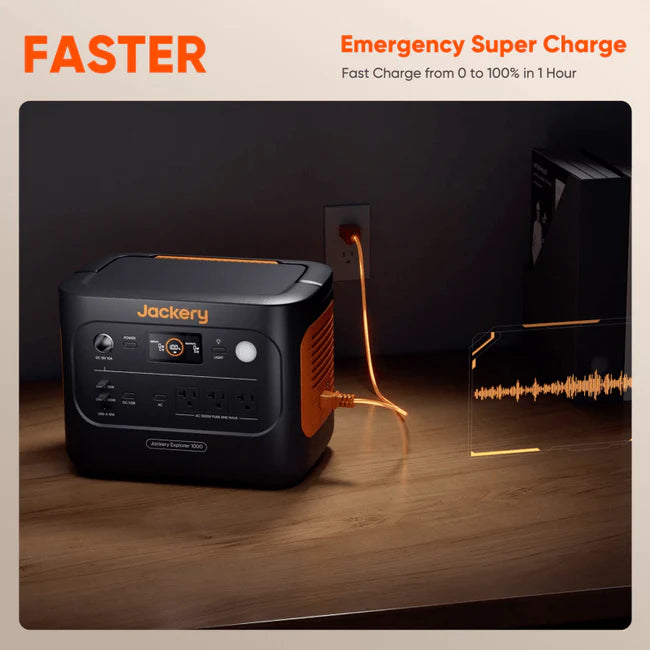
Fast Charging
Dual 100W USB-C and USB-A ports with Emergency Super Charge 0-100% in 1 Hour.
Smarter, Safer Power
ChargeShield 2.0 uses 62 layers of advanced protection to keep your power stable, efficient, and safe in any situation.
Harness the Sun
Boost solar intake with Bifacial 200W panels for sustainability.
Decade of Dependability
Long-lasting LiFePO₄ cells ensure 10+ years (4,000 charge cycles).
Features
Product Details
Jackery Explorer 1000 V2 1070Wh
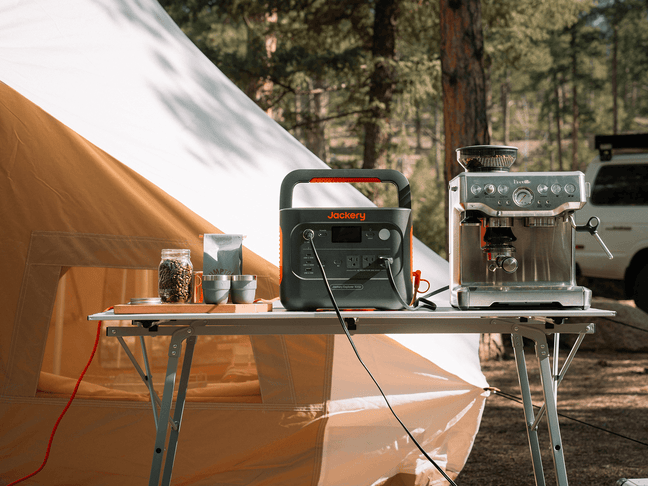
Convenient Comfort: Add the comforts of home and keep your devices and small appliances charged.
Seamless Power Switching: Switch power in under 20 milliseconds for continuous operation of your devices during power outages or voltage fluctuations.
Peace and Quiet: At 30 dB, it's as quiet as a whisper, letting you fully enjoy the sounds of nature.
Smart App Control And LCD Display: Monitor and manage your power from the LCD display or your app.
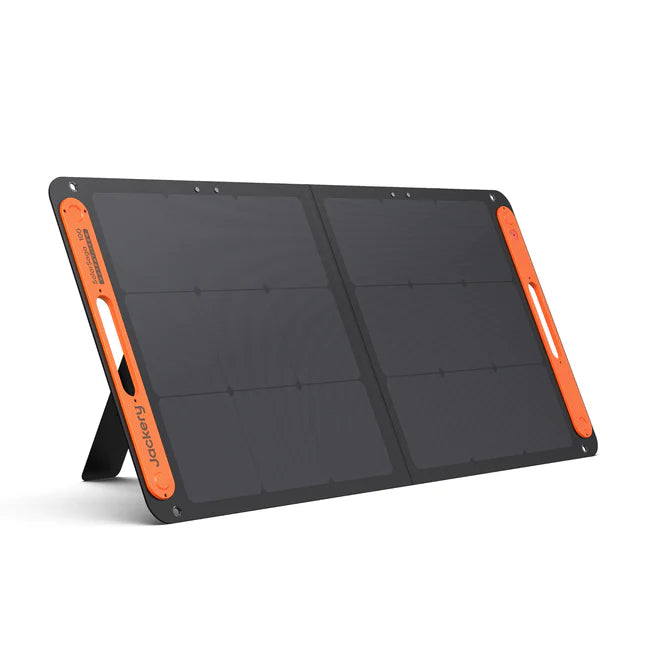
Jackery SolarSaga 100W
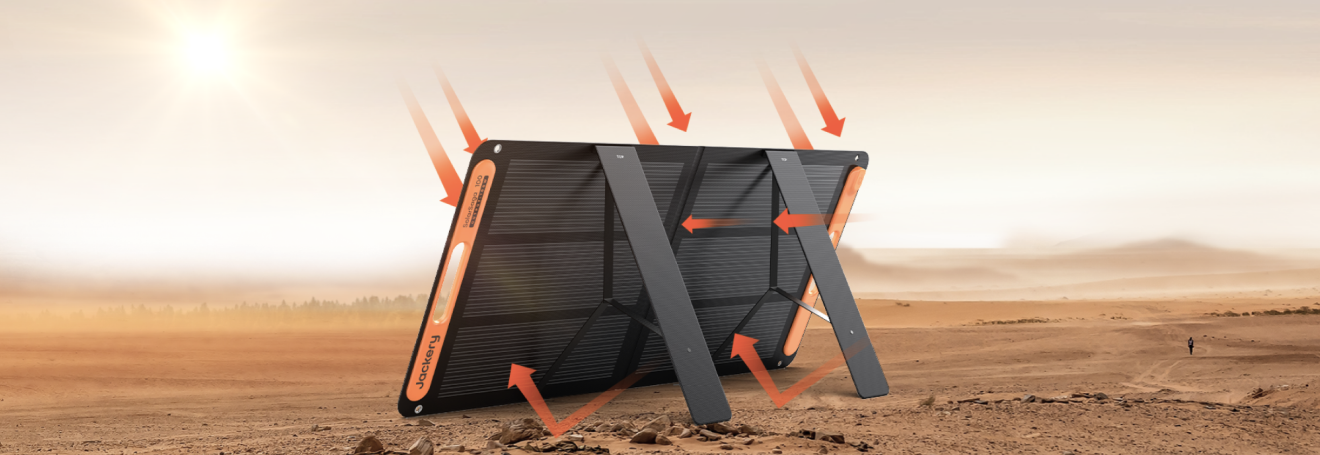
Full 100W Solar Power: Get the most from every ray with Jackery's SolarSaga 100W Solar Panel. Quickly recharge compatible Jackery power stations and reduce your reliance on the grid.
High Efficiency 25% Conversion Rate: Premium monocrystalline cells deliver up to 25% conversion efficiency, capturing more sunlight for stronger, more reliable performance.
Lightweight & Travel-Ready: Weighing less than 8 lbs, it folds down into a slim, easy-to-carry panel that sets up in seconds, wherever your adventure takes you.
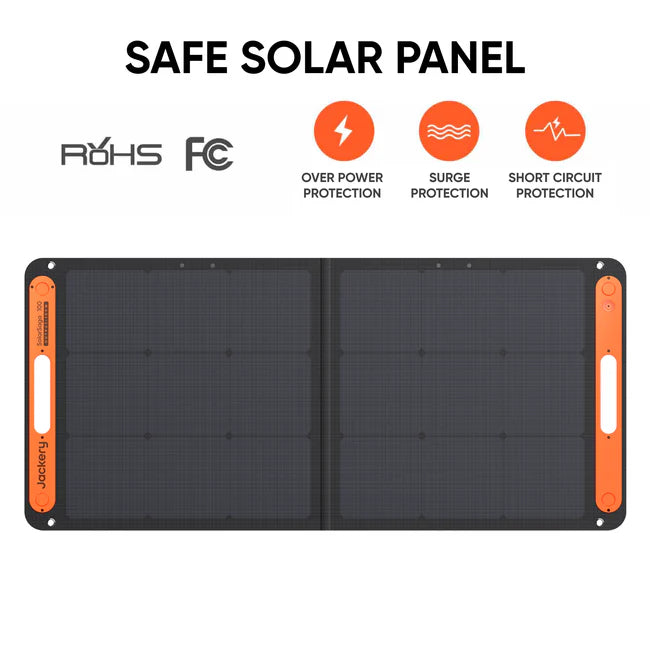
All-Weather Ready (IP68): Durable and designed for the elements. Dustproof and waterproof, it performs reliably in rain, snow, dust, sand, and dirt.
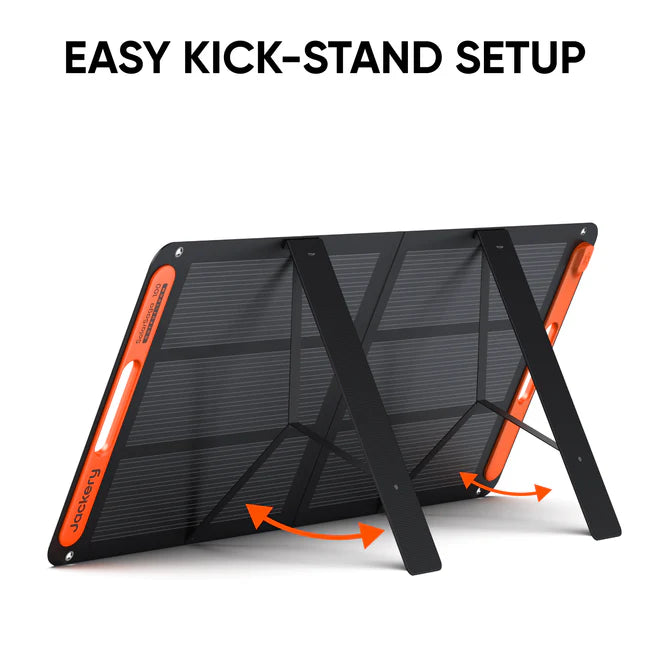
Simple & Speedy Setup: Adjustable kickstands and a quick-connect cable make deployment effortless, perfect for life on the go.
Charge Multiple Devices: With built-in USB-A and USB-C ports, you can charge your small electronics directly from the panel.
Sleek All-Black Design: A modern, unobstructed black front gives the panel a clean, premium look that blends beautifully with any setup.
Package List: SolarSaga 100W Solar Panel*1, 3 meters multi-functional cable (with USB charing ports)*1, DC8020 to DC7909 Adapter*1, User Manual*1
Accessory Ready: To connect the SolarSaga with different Explorer portable power stations or other extension functions, please check the accessories it requires.
Specifications
Tech Specs

General
Weight: Around 23.8 lbs (10.8 kg)
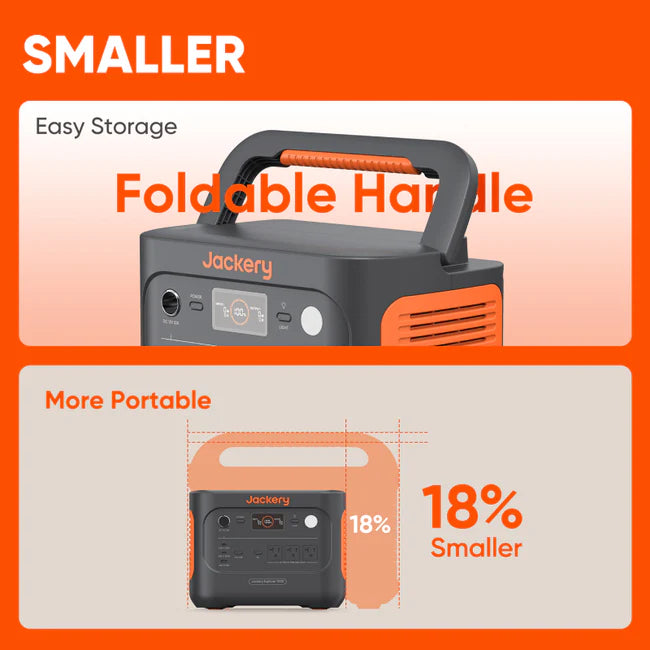
Dimensions: 12.87 × 8.82 × 9.72 in / 32.7 × 22.4 × 24.7 cm
Charge Temperature: 32°F–113°F (0°C–45°C)
Discharge Temperature: 14°F–113°F (-10°C–45°C)
Warranty: 3-year limited manufacturer defect warranty
Battery
Capacity: 30.4Ah / 35.2V DC (1070 Wh)
Cell Chemistry: LiFePO4
Cycle Life: 4000 cycles to 70%+ capacity
Output Ports
AC Output: (3×) 120V ~ 60Hz
AC Total Output: 1500W Rated, 3000W Surge Peak
USB-C Output:
(1×) 30W Max: 5V⎓3A, 9V⎓3A, 12V⎓2.5A, 15V⎓2A, 20V⎓1.5A
(1×) 100W Max: 5V⎓3A, 9V⎓3A, 12V⎓3A, 15V⎓3A, 20V⎓5A
USB-A Output: 18W Max, 5–6V⎓3A, 6–9V⎓2A, 9–12V⎓1.5A
Car Port: 12V⎓10A
Input Ports
Charge Mode AC Input: 100–120V~ 60Hz, 15A Max
Bypass Mode AC Input/Output: 100–120V~ 60Hz, 1500W
DC Input:
(2×) DC 8mm Ports: 12–16V (Working Voltage) ⎓8A Max (Double to 8A Max)
16–60V (Working Voltage) ⎓10.5A Max (Double to 21A / 400W Max)
Charging Time
AC Adapter: 1.58 Hours
Car Adapter (12V): 12 Hours
Solar Charging: 7.5 Hours

General
Weight: 7.94 lbs ± 0.66 lbs (3.6 kg ± 0.3 kg)
Protection Class: Class II
Waterproof Rating: IP68
Operating Temperature: -4~149°F (-20~65°C)
Warranty: 3-year limited manufacturer defect warranty
Ports
USB-A Output: 5V⎓2.4A
USB-C Output: 5V⎓3A
Solar
Maximum System Voltage: 60V
Maximum Reverse Current: 15A
Bifaciality Coefficient (back/front): Pmax>30%, Voc>95%, Isc>32%
Voltage Temperature Coefficient: -0.268%/°C
Power Temperature Coefficient: -0.29%/°C
STC (1000W/㎡, 25℃, AM 1.5)
Peak Power (Pmax): 100W±5W
Open Circuit Voltage (VOC): 24.8V±5%
Short Circuit Current (Isc): 5.4A±5%
Power Voltage (Vmp): 20.0V±5%
Power Current (Imp): 5.0A±5%
BNPI (Front 1000W/㎡, Rear 135W/㎡, 25°C, AM 1.5)
Peak Power (Pmax): 104W±5W
Open Circuit Voltage (Voc): 25V±5%
Short Circuit Current (Isc): 5.8A±5%
Power Voltage (Vmp): 20.1V±5%
Power Current (Imp): 5.2A±5%
Dimensions
Folded: 24.0 x 21.7 x 1.4 in (610 x 552 x 35 mm)
Unfolded: 48.03 x 21.73 x 0.79 in (1220 x 552 x 20 mm)
FAQs
Frequently Asked Questions
How to Charge the Explorer 1000 v2 via AC Wall Outlet?
Connect the AC charging cable to the input port of the power station and plug it into the wall outlet.
How to turn on the Energy Saving Mode?
Long press the AC Button and Main Power Button until the Energy Saving Mode icon lights up on the screen.
What is the emergency charging mode on the Explorer 1000 v2?
Under this mode, you can rapidly power up the portable power station using the AC charging method. When in emergency charging mode, the circular light indicating the state of charge (SOC) will blink at an increased pace. This emergency charge function can be activated or deactivated through the Jackery app.
What is the recommended temperature of this product?
The recommended charging temperature for the product is between 0°C to 45°C (32°F to 113°F), and the discharging temperature is between -10°C to 45°C (14°F to 113°F). Operating the product outside this temperature range may restrict its charging and discharging capabilities, or even render it unable to charge or discharge.
Why can the solar panel not produce 100W when charging to a Jackery power station?
As you may know, solar panels are affected by many factors, such as light intensity and the angle at which the panel is positioned. The 100W rating is measured under ideal laboratory conditions. In real-world use, light intensity constantly changes, and the angle of sunlight hitting the panel shifts as the sun moves throughout the day. For best results, please test the solar panel under full, direct sunlight and ensure that no shadows are cast on the panel.
Is the solar panel waterproof?
The solar panel is rated IP68 water-resistant, which offers protection against water splashes. Please avoid exposing it to heavy rain or submerging it in water.
How to clean the solar panel surface?
This is outlined in the user manual. Use a soft cloth to remove dust and dirt from the surface. Then, use a damp cloth to wipe the solar module and remove any remaining residue. Any bird droppings or other adhesive substances should be removed as soon as possible to prevent a reduction in performance.